

1. Plugin Overview
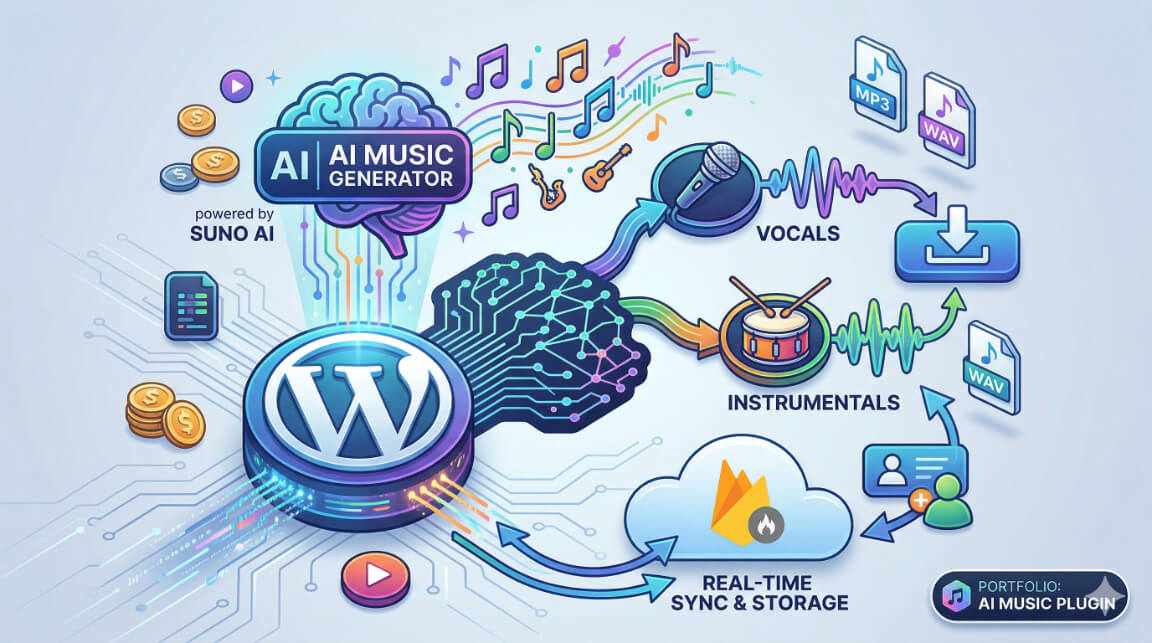
AI Music Generator is an advanced, fully-featured WordPress plugin that transforms any WordPress website into a powerful AI music generation platform. By integrating seamlessly with state-of-the-art AI services like Suno AI, OpenAI, and Firebase, the plugin provides end-to-end capabilities for creating, managing, and presenting both instrumental and lyrical music directly within the WordPress ecosystem.
Key Value Proposition
The plugin is designed to bridge the gap between complex AI generative models and web interfaces, offering a polished, user-friendly experience for music creation without requiring users to interact with raw APIs. It supports multiple music generation models (up to Suno V5) and provides professional-grade audio tools natively in WordPress.
Core Features
- AI Music Generation: Leverages the Suno API to generate high-quality audio tracks based on text prompts.
- Multiple AI Models: Supports legacy and official API endpoints featuring models like V3.5, V4, V4.5, V4.5 PLUS, and the latest V5 with enhanced audio quality.
- Instrumental & Lyrical Compositions: Users can specify whether they want instrumental tracks or fully realized songs with AI-generated vocals and lyrics.
- Advanced Professional Tools: Includes high-end features like Vocal Separation, Music Extension (up to 8 minutes), WAV Conversion, Music Covers, Timestamped Lyrics, Style Boost, and automatic Music Video Generation.
- Real-Time Progress Tracking: Integrates heavily with Firebase Realtime Database and Storage to provide real-time updates and lightning-fast media delivery to the frontend via Webhooks.
- OpenAI Integration: Utilizes OpenAI’s GPT models to assist users in crafting the perfect prompts and lyrics for music generation.
- Security & Anti-Bot Protection: Built-in integration with 2Captcha to secure endpoints and generation forms.
Target Audience
This plugin is ideal for music producers, content creators, SaaS platform owners, and audio-centric communities who want to offer AI music generation as a service, or augment their own creative workflows locally within a self-hosted WordPress environment.
2. Architecture & Technology Stack
AI Music Generator operates on a modern, decoupled architecture that leverages WordPress for content and user management, while utilizing cloud-native services (Firebase, Suno, OpenAI) for heavy processing and real-time data delivery.
High-Level Workflow
- User Input: The user submits a prompt via a WordPress shortcode form on the frontend, or via the Admin Dashboard.
- API Dispatch: The WordPress backend (PHP) securely processes the request, appends necessary API keys, and dispatches the task to the Suno API.
- Task Queuing: Suno AI begins processing the audio generation asynchronously.
- Webhook Callback: Once generation completes, Suno’s API fires a webhook callback directly to a custom WordPress REST API endpoint (
/aibdmus/v1/suno/webhook-callback). - Firebase Sync & Storage:
- The WordPress endpoint processes the callback.
- Generated
.mp3or.mp4files are automatically downloaded and re-uploaded permanently to Firebase Storage (supporting multiple project buckets for segmentation). - The generation metadata is saved into the Firestore Database for real-time frontend syncing.
- Frontend Delivery: The frontend JavaScript listens to Firebase or polls the local database, immediately updating the UI with the final playable audio tracks seamlessly.
Technology Stack
- Backend: PHP 7.4+, WordPress Core APIs, WordPress REST API
- Frontend: Vanilla JavaScript, jQuery, HTML5 Audio/Video Players, CSS3
- Cloud Database / Storage: Google Firebase SDK (Admin SDK / Firestore / Cloud Storage)
- Generative AI:
- Suno AI API: (Legacy & Official) for core music/audio synthesis.
- OpenAI API: For intelligent prompt crafting and lyric generation.
- Security: 2Captcha for bot mitigation.
- Utility: FFmpeg (via PHP Wrappers) for advanced audio processing.
Database Schema Highlights
The plugin utilizes a combination of WordPress Options, Custom Tables, and NoSQL (Firebase):
Relational Schema (MySQL)
The central table wp_aibdmus_api_res_rec tracks API states locally:
id(INT, Primary Key)task_id(CHAR 39) – Unique identifier bound to Suno’s task ID.task_submited_json_res(TEXT) – The initial payload and response.callback_status(CHAR 19) – Status enum (e.g., pending, complete, failed).task_callback_json_res(TEXT) – The final webhook payload.created_at/updated_at(DATETIME)
NoSQL Schema (Firestore)
State is mirrored in Firestore under dynamic collections (e.g., AIAudio) containing document references mapped 1:1 with task_id. This allows frontend clients to subscribe to document mutations (status changes) via WebSockets without taxing the WordPress server.
Extensibility & Phases
The codebase is structured into modular “Phases” (loaded via inc/ classes):
- Phase 1-2: Core Engine and Social Sharing.
- Phase 3: Collaboration & Version Control.
- Phase 4: Polish, Advanced Polish (Performance Optimization, Caching, AI Recommendations, Professional Audio Tools like Vocal Separation & Style Boosting).
3. Core Features Deep Dive
This document outlines the advanced capabilities embedded within the AI Music Generator plugin.
3.1. Professional Music Generation
At its core, the plugin interfaces with Suno AI to generate studio-quality music.
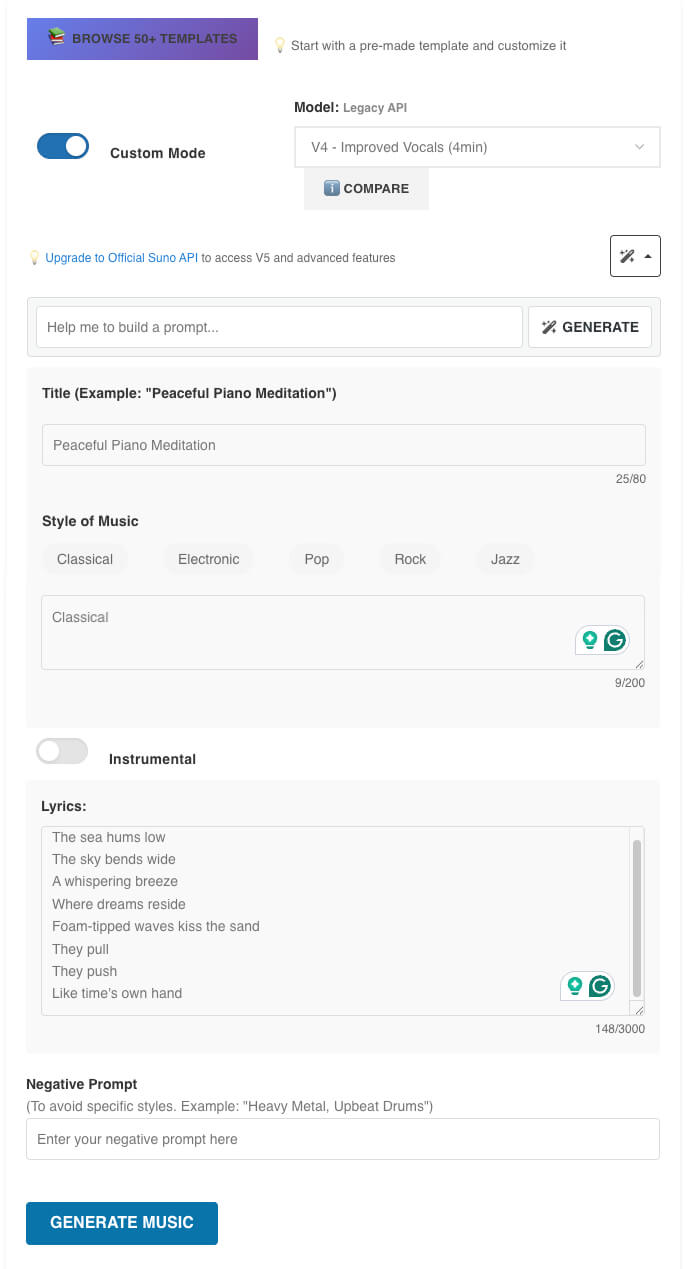
- Style Controls: Users can dictate specific genres (e.g., Classical, Electronic, Pop, Rock, Jazz).
- Custom Mode: Allows advanced users to pass highly specific structured payloads detailing tempo, instrumentation, and vocal types.
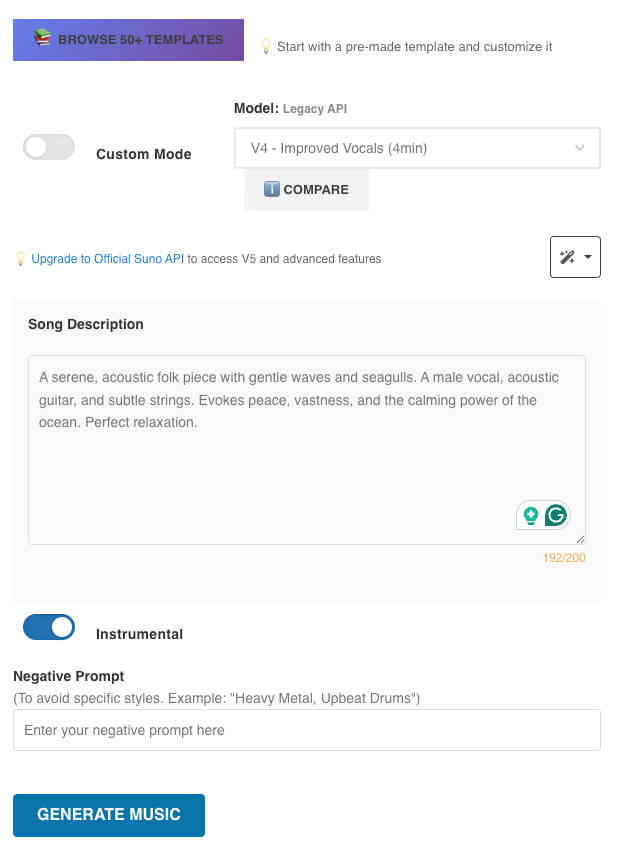
- Instrumental Toggle: Generates purely instrumental tracks or full songs with AI-generated singing matching the lyric inputs.
3.2. Advanced Audio Processing (Official API Enabled)
When utilizing the Official Suno API configuration, the plugin unlocks a suite of professional tools:
- Vocal Separation: Utilizes AI to cleanly split a generated track into isolated vocal stems and instrumental backing tracks. Useful for remixes and karaoke.
- Music Extension (Inpainting/Outpainting): Tracks can be extended seamlessly up to 8 minutes, allowing short generated clips to blossom into full-length compositions.
- WAV Conversion: Facilitates lossless, uncompressed high-fidelity audio formats ideal for professional mixing and mastering.
- Music Covers & Style Boost: Allows users to feed an existing track back into the AI to reinterpret it in a completely different genre (e.g., turning a pop song into heavy metal) while boosting the dynamic range and style adherence.
- Timestamped Lyrics: Generates and syncs lyric data to specific timestamps for dynamic frontend displays (e.g., Spotify-style scrolling lyrics).
3.3. Cinematic Music Videos
- Music Video Generator: The plugin includes the ability to automatically generate visual representations (MP4s) synchronized with the audio tracks, highly optimized for social media sharing.
3.4. UI/UX & AI Assistance
- OpenAI Prompt Generation: Integrated directly into the music generation forms, a magic wand tool utilizes OpenAI to transform basic user ideas (“make a song about space”) into complex, highly descriptive Suno-optimized prompts.
- Real-Time Dashboards: Features asynchronous data-tables and progress bars indicating exact generation stages.
- Template Library: Integrated system allowing admins to save highly successful generations as “Templates” which users can instantly fork and build upon.
3.5. Firebase & Ecosystem integration
To bypass the traditional PHP execution limits and server load, the plugin uses Firebase:
- All generated audio is funneled through Google Cloud Storage (Firebase Storage), ensuring fast global CDN delivery.
- Supports cross-project syncing, pushing assets to multiple predefined Firebase environments simultaneously (e.g., “Open House Pro” and “AISocial” clusters).
4. Installation & Configuration Guide
Setting up AI Music Generator involves configuring various API providers to ensure seamless end-to-end functionality.
System Requirements
- WordPress 5.0+
- PHP 7.4+ (PHP 8.x recommended)
curlPHP extension enabled- SSL Certificate (HTTPS) is explicitly required for secure Webhook callbacks from Suno AI.
4.1. Installation
- Upload the
ai-music-generatordirectory to your/wp-content/plugins/folder. - Navigate to your WordPress Admin dashboard > Plugins.
- Locate AI Music Generator and click Activate.
- The plugin will automatically run database migrations (creating the
wp_aibdmus_api_res_rectable and checking schema versions).
4.2. Global Configuration
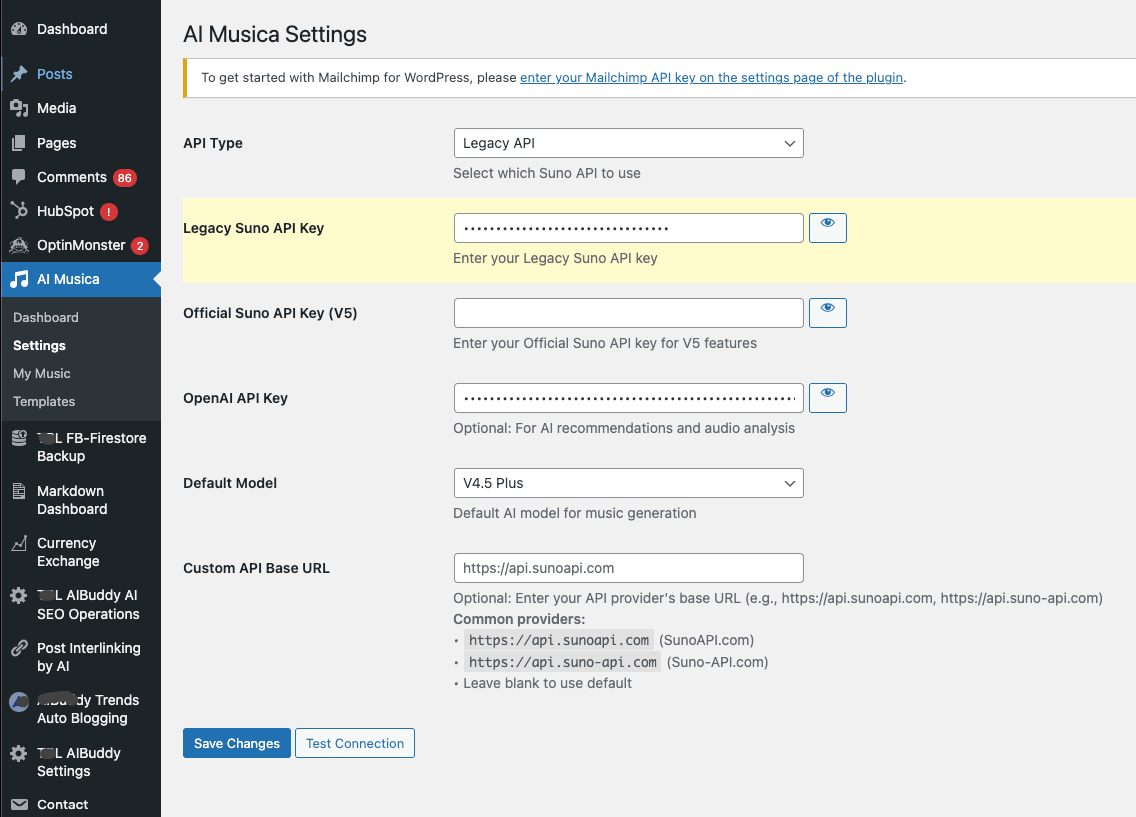
Navigate to the new admin menu item: ** AI Music Settings**.
Core API Configurations
- Local API Key: Press Generate New API Key. This key secures your local REST endpoints (e.g.,
/aibdmus/v1/suno/aimus-web-first-entry). - OpenAI API Key (Optional but recommended): Required for AI-assisted prompt optimization.
- 2Captcha API Key (Optional): Mitigates bot abuse on public-facing shortcode forms.
Suno AI Configuration
You must choose your integration method:
- Legacy API: Backward compatible. Good for basic V3.5 / V4 generations.
- Official Suno API: Required for V5 models and the 12 advanced audio features.
- Input your respective API keys.
- Select your Default Model (e.g.,
V5). - Toggle the Advanced Features you wish to enable (Music Videos, Vocal Separation, Music Extension, WAV Conversion, etc.).
4.3. Firebase Configuration
Firebase is the backbone for file storage and real-time state management.
In the settings panel, fill out the details for your Firebase environments (supports dynamic pushing to multiple environments like “Open House Pro” and “AISocial”):
- Auth Domain: e.g.,
your-project.firebaseapp.com - Storage Bucket: e.g.,
your-project.appspot.com/firebasestorage.app - Firebase AdminSDK (JSON): Paste the complete service account JSON configuration here.
- Firebase Project ID: Your project identifier.
- Firebase Collection Name: The Firestore collection where tasks will be written (e.g.,
AIAudio).
Note: You must ensure your Firebase Storage rules allow public read access for the audio files to be played on the frontend.
4.4. Testing the Environment
On the settings page, a test generation form is provided. Generate a test track to ensure:
- The request reaches Suno.
- The Webhook is fired and received by WordPress.
- The file is uploaded to Firebase Storage.
- The task state is updated locally and in Firestore.
5. Usage & Shortcodes
AI Music Generator is designed to be easily embedded anywhere on a WordPress site utilizing shortcodes. It also provides administrative tools for managing content natively.
5.1. Frontend Usage (Shortcodes)
You can place these shortcodes in any Page, Post, or Elementor widget.
[ai_music_gen_form]
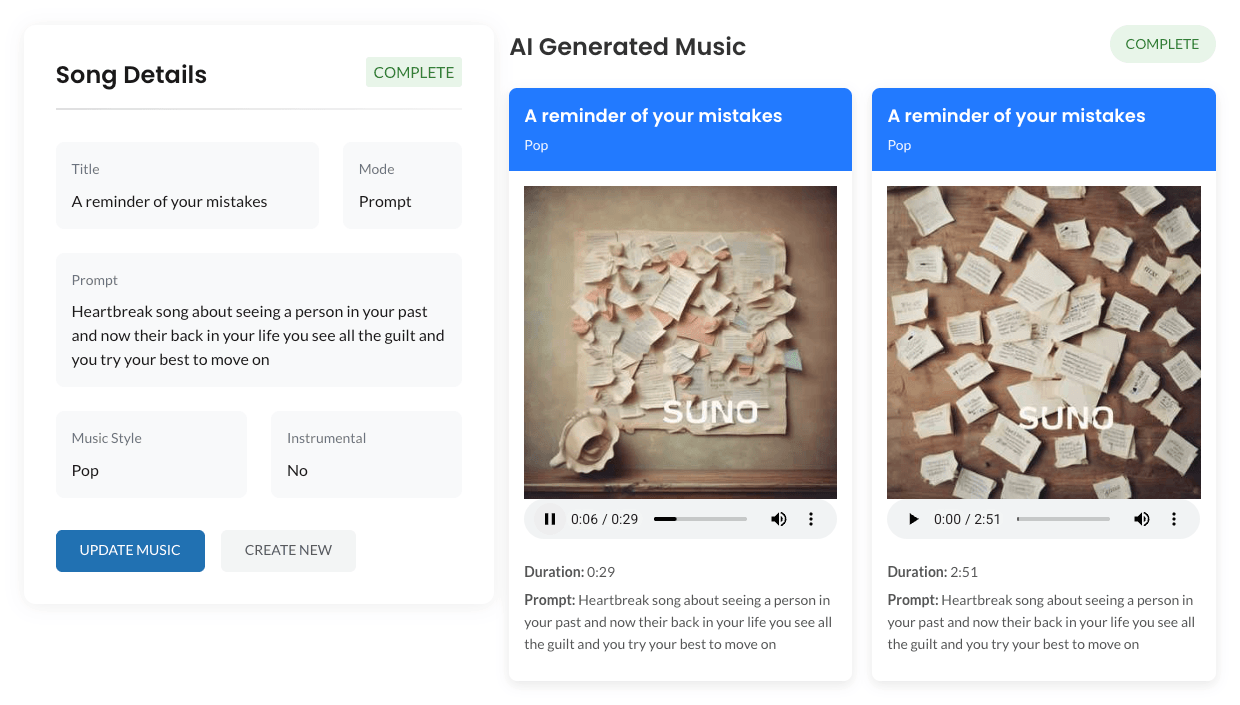
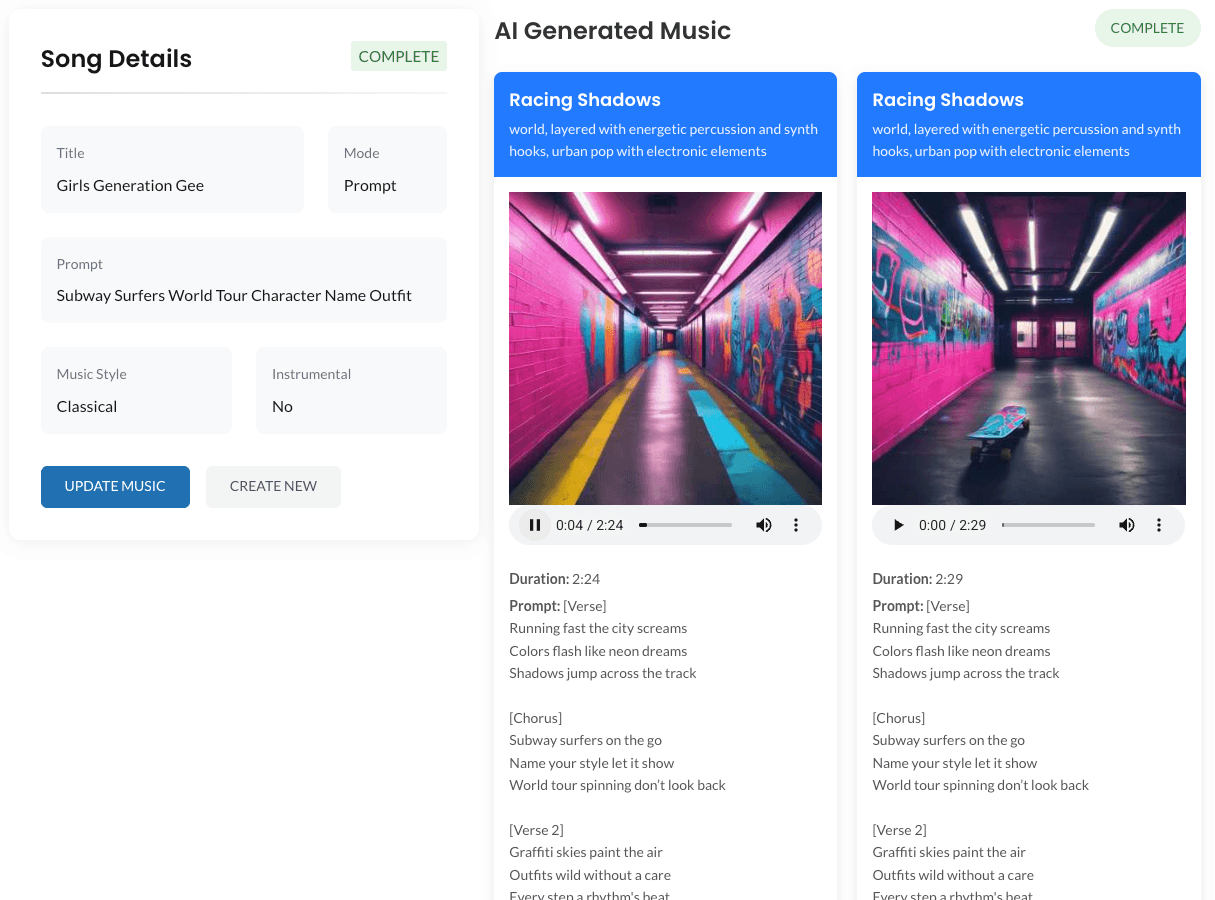
Purpose: Renders the main user-facing music generation interface.
- Features Include:
- Standard prompt input and title designation.
- Toggles for Music Style (Pop, Rock, Classical, etc.).
- Toggles for Instrumental vs Lyrical tracks.
- AI Prompt Assistant (interfaces with OpenAI to optimize user inputs).
- Real-time generation progress bar listening to Firebase state changes.
- Instant audio-player rendering upon completion.
[ai_music_details]
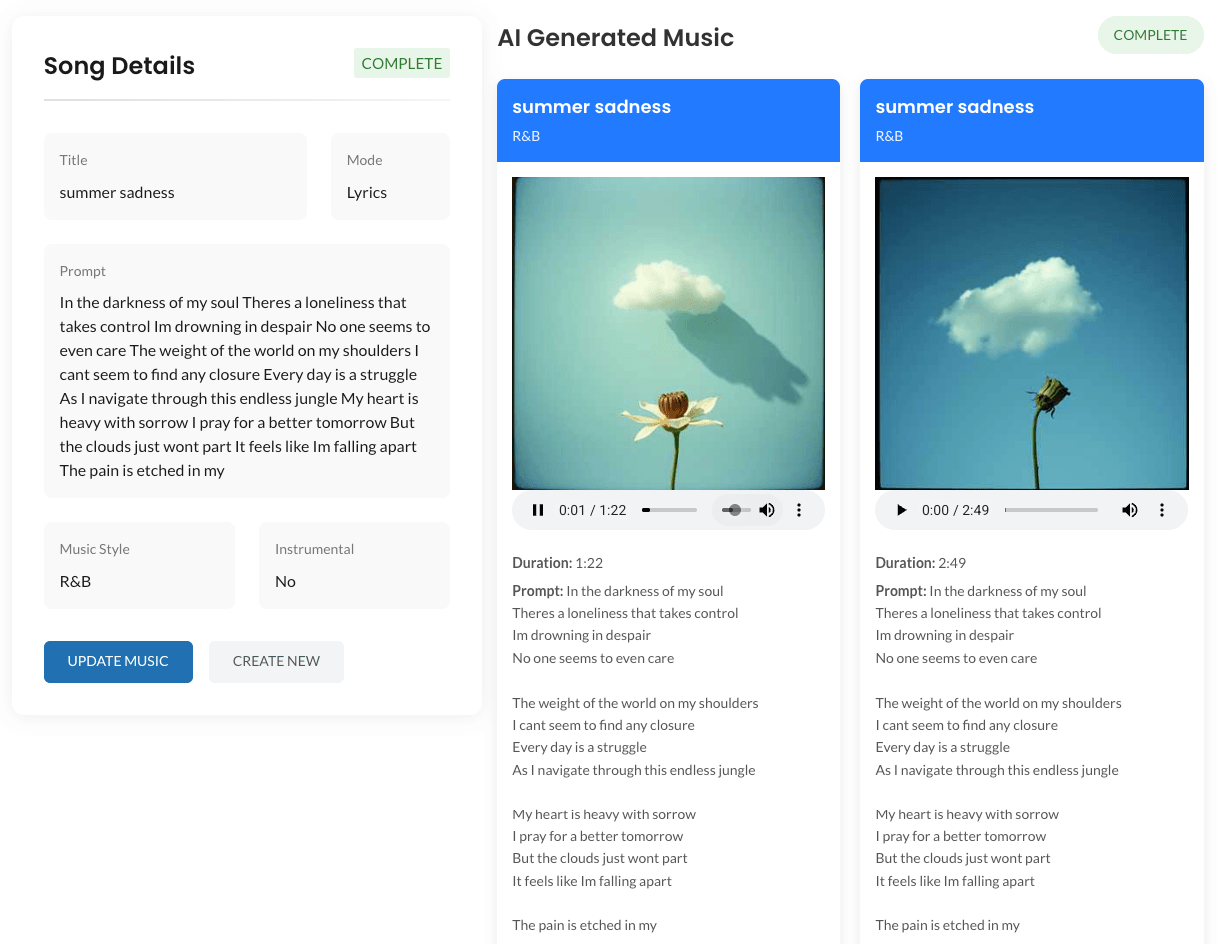
Purpose: Displays metadata and detailed information regarding a specific generated song.
- Typically used on single dynamically generated pages to showcase the prompt, style, duration, and cover art generated by the AI model.
[ai_music_details_song_files]
Purpose: Renders the playable audio and video interfaces for a specific track.
- Includes the HTML5 audio player.
- Triggers downloads for
.mp3or.wavformats depending on the configurations. - Displays visual synchronized elements if features like “Timestamped Lyrics” and “Music Videos” were enabled at generation time.
5.2. Backend Administrative Usage
Built-in Admin Generation
Administrators do not need to use shortcodes to generate music. By navigating to Settings > AI Music Settings, admins have access to a master generation form.
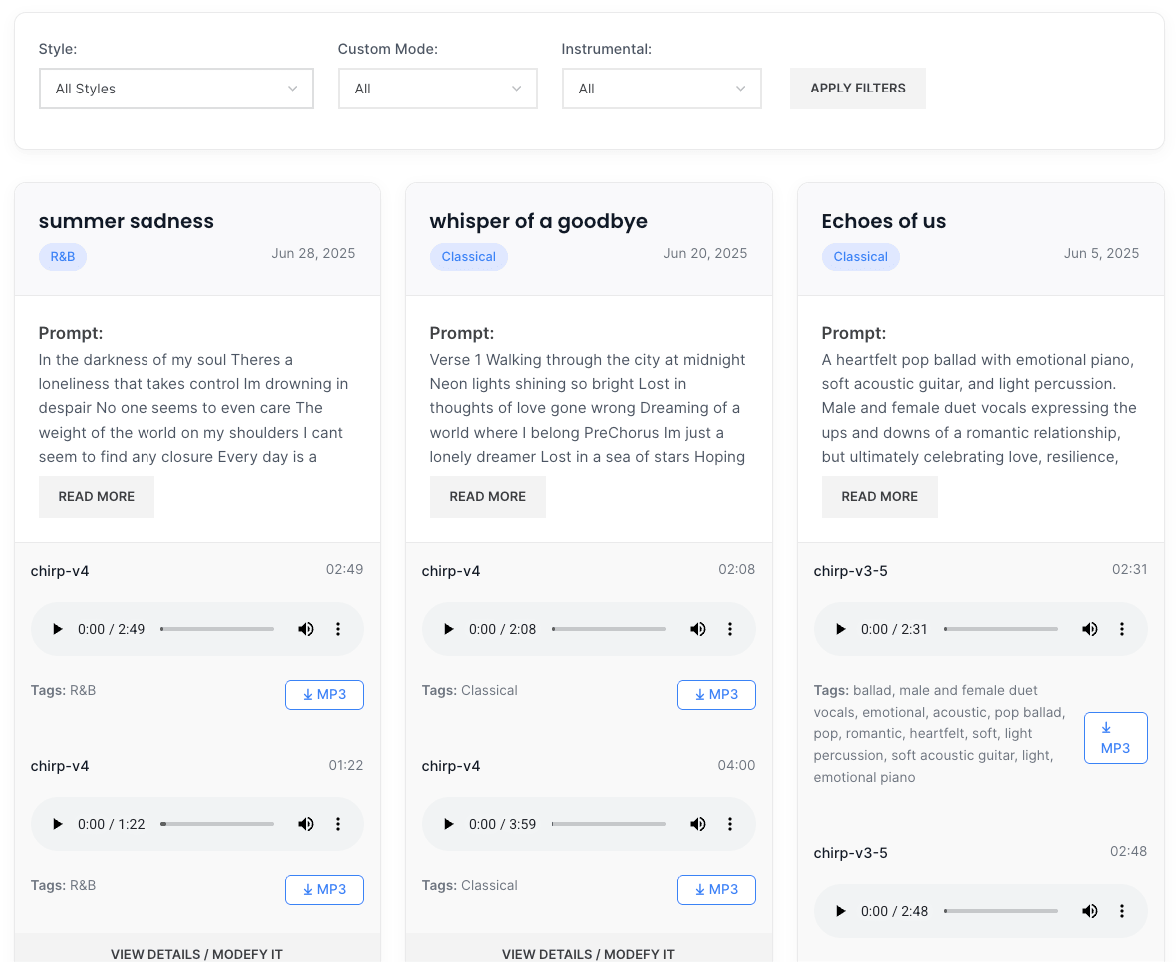
- This form is ideal for testing API configurations or bulk-generating content for the site’s default Template Library.
- Generation status runs asynchronously in the admin panel and outputs the final audio player seamlessly upon completion.
Log & Data Maintenance
Due to the decoupled nature of the plugin:
- All generated audio records are stored persistently in Google Firebase / Cloud Storage.
- The local database table
wp_aibdmus_api_res_recacts primarily as a transaction ledger. - You can manage tracks through the provided Admin DataTables interface, allowing you to moderate, feature, or delete generations.