
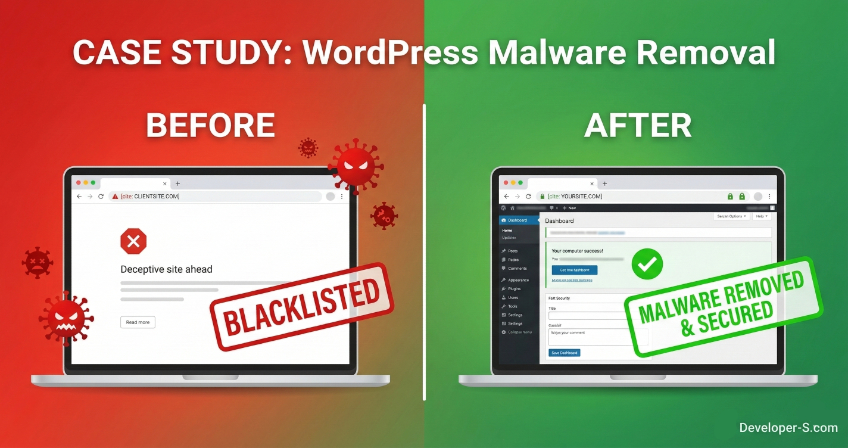

Waking up to a bright red “Deceptive Site Ahead” warning is every business owner’s worst nightmare. Recently, a client reached out to me in a panic. Their website traffic had flatlined overnight. Visitors trying to access their site were met with Google’s terrifying red Safe Browsing warning, effectively blocking anyone from entering. Not only was this costing them leads and sales, but it was also severely damaging their brand’s reputation.
Here is a detailed breakdown of how I investigated the hack, eradicated the deeply hidden malware, and successfully restored the site’s reputation with Google in just a few days.
Phase 1: The Symptoms and The Nightmare 📉
When a site is flagged by Google Safe Browsing, it usually means hackers have injected malicious code that attempts to steal user data or install unwanted software.
The immediate impacts were severe:
- Total Traffic Blockade: Chrome, Firefox, and Safari completely blocked access to the site.
- SEO Tanking: Search engines quickly drop infected sites from their rankings to protect users.
- Trust Deficit: A red warning screen immediately breaks customer trust.
I knew time was of the essence. We needed a deep dive into the server to find out exactly how the hackers got in and where they were hiding.
Phase 2: The Deep Investigation 🔍
I immediately locked down the site and initiated a comprehensive security audit of the WordPress core files, database, and server environment.
The hackers were clever. They hadn’t just injected code into existing files; they had built hidden backdoors.
What the scan revealed:
- Fake Plugin Directories: The attackers created completely fake plugin folders inside the
wp-content/plugins/directory to blend in with legitimate software. They used innocent-sounding names likeuserway-responsive,tiny-lite-for-simple, andeasy-database. - Hidden Backdoors: Inside these fake directories, I found highly malicious PHP scripts (specifically, files named
cache-performance-helper.phpandheader-fix-tester.php). These scripts acted as permanent backdoors, allowing the hackers to regain access whenever they wanted, even if we changed the passwords. - Vulnerable Entry Points: The root cause of the breach was outdated software. The site was running older versions of heavy plugins (like Elementor Pro and Woodmart Core) that contained known security vulnerabilities. The hackers used these exact weak points to force their way in.
Phase 3: The Rescue Mission & Cleanup 🛠️
Once the infection was fully mapped out, I executed a strict eradication and recovery protocol:
- Step 1: Surgical Malware Removal: I completely wiped the fake plugin directories and permanently deleted all hidden backdoor scripts from the server.
- Step 2: Core File Replacement: To guarantee no hidden fragments of malware remained, I replaced all core WordPress files with fresh, clean versions directly from the official repository.
- Step 3: Patching the Vulnerabilities: I updated every single plugin (including Elementor Pro) and theme to their latest, most secure versions. Any unused or abandoned themes were completely deleted to minimize the attack surface.
- Step 4: Hardening Security: I implemented stricter firewall rules and real-time threat monitoring to instantly block any future unauthorized login attempts or malicious file uploads.
Phase 4: The Final Green Light 🟢
Cleaning the site is only half the battle; the other half is proving it to Google.
With the site now 100% clean and fully patched, I generated a detailed security report outlining the exact malware found and the steps taken to remove it. I submitted this comprehensive report directly through Google Search Console to request a manual review.
The Result: Within a short window, Google systems verified the cleanup. I received the “Review Successful” confirmation, and the red blacklist warning was completely removed from all browsers. The client’s business was back online, fully secured, and their reputation was restored.
Key Takeaway: Security is Proactive, Not Reactive
This case perfectly illustrates why website maintenance is never a “set it and forget it” task. Hackers run automated bots 24/7 searching the internet for WordPress sites with outdated plugins. If you leave your digital doors unlocked, it is only a matter of time before they walk in.
Is your WordPress site running securely? Don’t wait for a red warning screen to find out.
If you need a comprehensive security audit, malware removal, or a dedicated developer to keep your digital business running flawlessly, Contact Me / Let’s Talk. Let’s make your website bulletproof.